
Scientific report formats: when to use each format and why it matters“Reporting” sounds like a single task until you try to ship results to real people. A principal investigator wants a polished narrative. A collaborator wants the underlying numbers. A reviewer wants enough detail to trust the work. Your future self wants to update and re-create the analysis and understand what actually happened. In scientific work, the report format isn’t just presentation, it’s a contract: what is frozen and citable, what is executable, what is auditable, and what can be reused. This post compares common scientific report formats, with practical advantages, disadvantages, and when each is the right tool. 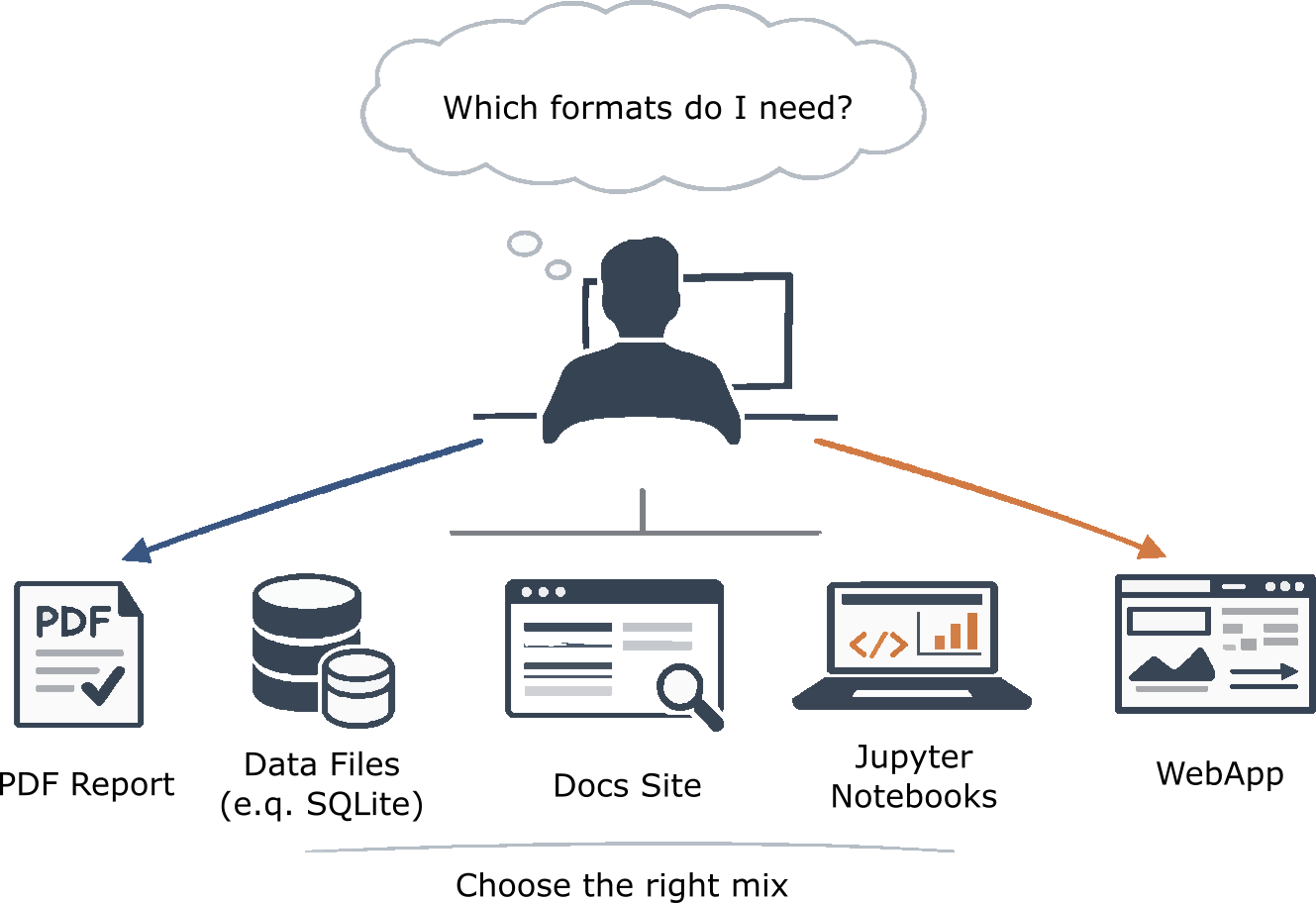 Hybrid scientific reporting is about choosing the right tools for the story you need to tell. The decision-maker selects one or more formats: narrative, queryable data (SQLite or columnar), reproducible analysis (notebooks), structured documentation (static site), or interactive exploration (app) while considering clarity, reuse, and exploration. (CC BY-SA 4.0) The criteria that matterThere are many criteria to consider before selecting a reporting format:
With those in mind, here are the main formats. 1) Word & PDF: the paper-shaped reportWord and PDF reports are the classic “paper-shaped” reporting format: narrative documents that combine text, figures, tables, and references into a single artifact. They are universally readable and impose the lowest possible barrier for readers. This makes them strong vehicles for storytelling and interpretation: explaining context, summarizing methods, and communicating conclusions. They also fit neatly into established organizational processes such as internal reviews, regulatory-style sign-off, and manuscript submission. Another important strength is that they are easy to freeze in time: a PDF can cleanly represent “this is what we knew on date X,” which is often exactly what stakeholders need. At the same time, Word and PDF reports are weak as data objects. Figures are essentially “dead” and tables don’t scale well. The underlying data almost always lives somewhere else. Versioning and diffing are poor compared to code or structured documents, and even with comments, review remains coarse-grained. Reproducibility is frequently implied rather than enforced, unless the report is tightly connected to code and data. For these reasons, they are best used as executive summaries, study readouts, manuscripts, and external-facing deliverables, the place where conclusions are communicated. A healthy pattern is to treat the PDF as a summary rather than the full report: a polished narrative that clearly points to the data package and the reproducible workflow behind it. 2) Excel & SQLite: the “data-first” reportExcel and SQLite are often grouped together because both give the comforting impression that “the data is here,” but they represent different ends of a data-first reporting spectrum. Focusing on Excel, spreadsheets are accessible and remain one of the most effective tools for manual inspection, lightweight quality control, and small-scale exploration. They work well for compact, analysis-ready tables, annotation and curation tasks, and pivot-style summaries, and many stakeholders are simply most comfortable working in spreadsheets. In that sense, Excel can be a very pragmatic reporting format when the goal is to let people directly touch and interrogate the data. The cost of that accessibility is reproducibility and provenance. Manual edits, hidden formulas, and copy-paste workflows introduce a constant risk of silent drift, and it is notoriously hard to answer questions like “where did this number come from?” Spreadsheets also struggle to scale, both in dataset size and in expressing richer relational structure, and they are a poor foundation for long-term automation unless very strict conventions are enforced. Excel is therefore best suited for triage, annotation, small and curated datasets, and handoffs where the recipient genuinely needs a spreadsheet. If Excel becomes the source of truth, you also inherit a governance problem: templates, locked cells, audit trails, controlled exports, and even checksums stop being bureaucracy and start being part of the reporting format itself. SQLite as a reporting format shines when the deliverable itself is structured data rather than a narrative. A portable SQLite database can naturally represent large, relational datasets (samples linked to runs, features, and metadata) in a way that flat files cannot, while remaining a single, easy-to-ship artifact. It supports deterministic reporting through saved queries and views, integrates cleanly with automated and versioned pipelines, and can bundle indexes so that even substantial result sets remain performant. The trade-off is that SQLite is not human-readable without tooling, and many stakeholders will immediately need a presentation layer before they can make sense of it. Schema evolution also requires real discipline, with migrations and compatibility notes becoming part of the reporting contract. SQLite is therefore best used for analysis outputs that must be queryable and scalable, for sharing data with power users, and as a reproducible backend for other reports. A healthy pattern is to deliver the database alongside a short “how to query” guide and a small set of exported tables or plots that cover what most readers need. 3) Jupyter notebooks: the “executable narrative”Jupyter notebooks are best thought of as “executable narratives”: a single document that interleaves code, text, and results. Their great strength is transparency (readers can see the path from data to code to plot in one place), and they support rich media, including figures, inline tables, and even interactive widgets. This makes them exceptionally good for exploration, teaching, method development, and collaboration among technical users, where rapid iteration and “show your work” matter more than polish. At the same time, notebooks are surprisingly easy to make non-reproducible: hidden state, out-of-order execution, and drifting environments can quietly undermine trust. Large, embedded outputs bloat repositories and make diffs painful unless you adopt specific tooling and habits, and there are often real security and operations friction if notebooks must run on controlled infrastructure. For these reasons, notebooks work best as exploratory and internal technical reports or walkthrough documents, and become much more trustworthy when you enforce simple discipline: restart-and-run-all before publishing, pin and record environments, push heavy computation into scripts or pipelines, and, if notebooks feed production reporting, parameterize them so they behave like thin, repeatable presentation layers rather than ad-hoc workspaces. 4) Interactive docs with a static backend (MkDocs / mdBook / JupyterBook)Static documentation sites sit between papers and platforms: collections of markdown pages (and sometimes notebooks) rendered into a coherent, navigable website. Their main strength is the balance they strike between readability and structure. You get tables of contents, cross-links, and search, while still working in text formats that diff cleanly and fit naturally into Git-based review. Static hosting is operationally simple (whether on GitHub Pages or an internal server), and frameworks like JupyterBook make it possible to fold notebooks into something that feels much closer to a publication than a scratchpad. The limitations are that the interactivity is mostly “static.” You can embed plots and lightweight widgets, but heavy computation usually must live somewhere else, and readers typically cannot change parameters and recompute. You also need a build workflow and some conventions, which is healthy but non-trivial work. Static sites are therefore best used as living documentation of methods and results, project notebooks that should read like reports, lab handbooks, or reproducibility portals. A good pattern is to treat the site as the canonical index: clearly stating what was done, where the data lives, what artifacts to trust, and how to reproduce the work, while linking out to the durable deliverables such as PDFs, SQLite files, and code releases. 5) Advanced interactive web apps: the “product-grade” reportApplications are the far end of the reporting spectrum: real, living systems rather than documents. This includes dashboards, exploratory user interfaces, cohort browsers, structure viewers, and other tools usually backed by an API and a database. Their unique strength is exploration at scale. They support filtering, grouping, drill-down, and linked views across large datasets, and they can be designed so that non-technical users can genuinely self-serve. Unlike static formats, applications can encode domain workflows directly (review queues, annotation steps, triage flows, quality gates) so the “report” becomes an operational system rather than a one-off artifact. That power comes with the highest cost. Applications demand engineering and long-term maintenance: authentication, hosting, upgrades, monitoring, and support. Without discipline, they easily become moving targets, and reproducibility does not emerge by accident. You must design for it with versioned datasets, versioned app releases, and explicit logging of parameters and states. There is also the organizational question of ownership: who maintains the system when the original developer moves on? Applications are therefore best reserved for programs with ongoing data refresh, large cohorts, and many stakeholders, or when the report is fundamentally an interactive investigation tool. A healthy pattern is to think in releases: maintain frozen snapshots that pair a dataset version with an app version for citation and audit, alongside a clearly labelled “live” mode for continuous exploration. The reality: most good reporting is hybridIn practice, strong reporting is almost never a single format. Mature scientific and technical reporting stacks are hybrid by necessity, because no one artifact can simultaneously optimize for narrative, trust, reuse, exploration, and longevity. A common and effective pattern is to anchor the work in a small set of complementary deliverables: a PDF for narrative conclusions and broad shareability; a packaged data artifact such as SQLite or columnar files as the queryable, automatable results layer; a static documentation site as the navigable table of contents that explains methods, scope, and links everything together; and notebooks for technical deep dives and reproducible walkthroughs. Full web applications tend to earn their place only when stakeholders repeatedly need to explore the data themselves, not just read about it. The most important design decision in such a stack is not which formats you use, but which one is treated as the source of truth and which ones are views. The source of truth is the artifact from which everything else can be regenerated: typically, the versioned pipeline outputs and the packaged results database or files. Everything else—the PDF, the documentation site, the notebooks, even the application—should be treated as projections over that core. Being explicit about this prevents a common failure mode, where inconsistencies creep in and it becomes unclear which artifact should be trusted. When the relationships are clear, reporting stops being a set of disconnected deliverables and becomes a coherent system: frozen when it needs to be citable, living where it needs to be exploratory, and always traceable back to the data and code that produced it. |